Liquid damage
MacBook liquid damage repair
Coffee, tea, water, wine, cola. The sooner it reaches us, the more there is to save. And please do not do one thing: switch it on to see whether it still works.
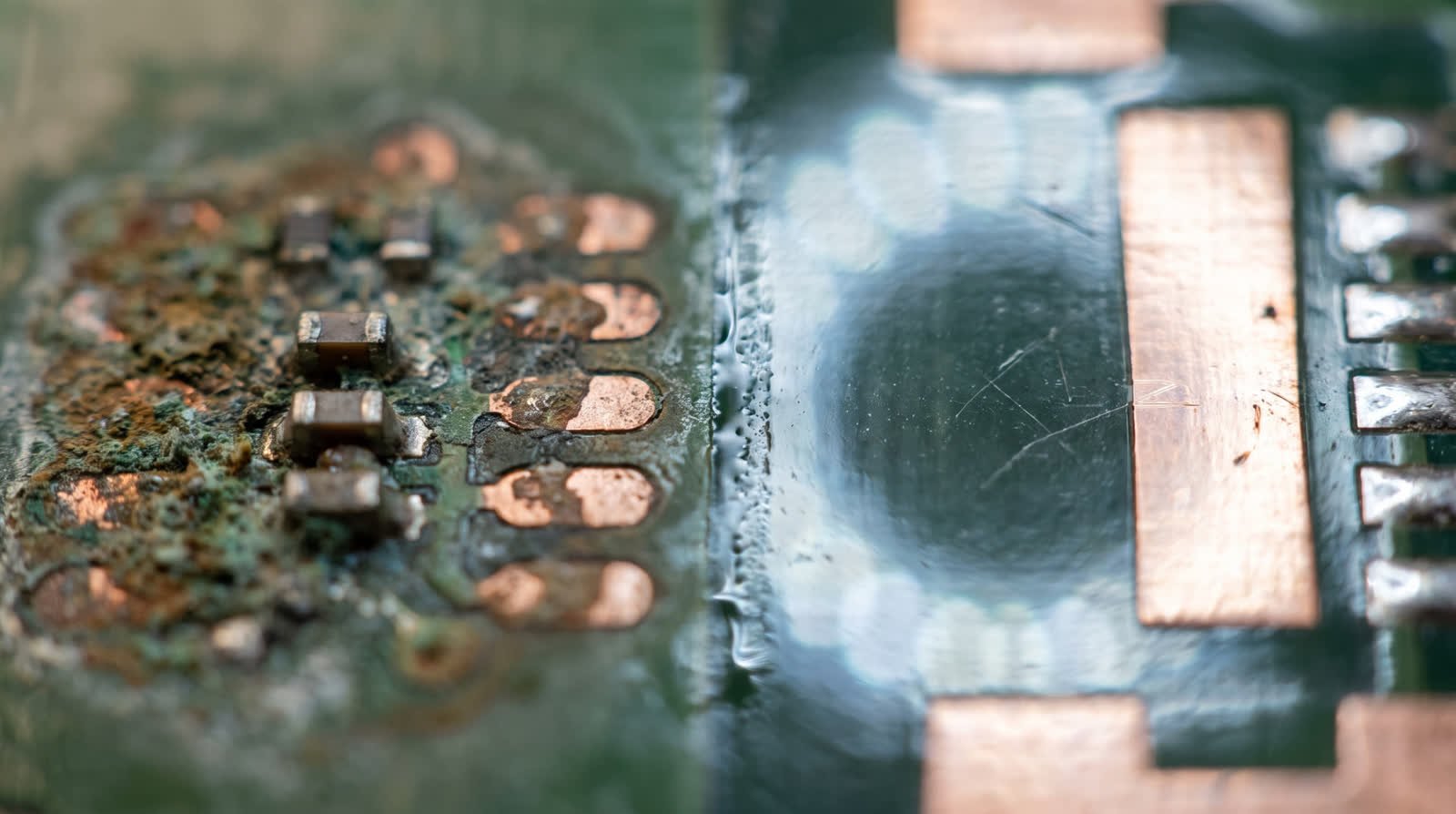
What liquid actually does
The water itself is not the problem. The problem is what stays behind. As soon as there is liquid between two connections carrying voltage, an electrochemical process starts that eats copper away. It carries on as long as there is current, and then slowly carries on as long as the residue is still there. A MacBook that seemed to work right after the spill can be dead three weeks later.
So two things come first. Do not connect it to the charger. And do not switch it on. Turn it off, turn it upside down so nothing sinks deeper, and bring or post it.
What not to do
- Put it in rice. That pulls nothing out of the layer under the chips and the dust gets into the connectors.
- Blow it dry or put it on a radiator. The water evaporates and leaves behind exactly the salt that attacks the copper.
- Keep trying to start it. Every attempt puts voltage back onto a wet spot.
How we go about it
The machine comes fully apart and the board goes into an ultrasonic bath. That gets the residue out of places no brush reaches, including underneath the chips. After that we look under the microscope to see where the corrosion has already eaten through, and that is usually the moment the real damage becomes visible. Affected components and traces are replaced or rebuilt.
Honest about the odds: if it was water, coffee or tea and the machine was switched off quickly, we get most of them through. If it was seawater, cola or anything with sugar in it, it is unpredictable and sometimes one round of cleaning is all it takes. What we will not do is promise you a percentage up front that we cannot deliver.
Prices
What liquid damage costs.
| Step | What it covers | Price |
|---|---|---|
| Cleaning | Full strip down, ultrasonic bath, drying, rebuild and testing | €129 |
| Cleaning plus repair | The above, plus the components and traces the corrosion destroyed | €299 |
| Keyboard or trackpad as well | If the liquid reached those too, with an original Apple part | from €189 |
If everything works again after cleaning alone, you pay for the cleaning alone. We decide that after cleaning, not before.
Questions about liquid damage
It happened three weeks ago. Is there any point?
Often there is. Corrosion works slowly and whatever has not been eaten away yet can still be saved. What you lose is the easy option: the longer it takes, the more often components have to be replaced rather than simply cleaned.
My insurer wants a report. Can you do that?
Yes. We photograph the damage and put in writing what we found and what we did. It costs nothing extra and it works for an insurance claim or a dispute over a purchase.
Do my files survive liquid damage?
Usually yes, but it is less certain here than with other work, because the storage chip itself can be affected. If you tell us up front that the files matter most, we put data recovery first and the repair second.
Apple says liquid damage is not covered. Is that right?
That is right, liquid damage falls outside the manufacturer warranty everywhere. Worth knowing though: a moisture indicator that has turned red does not automatically prove that moisture caused your fault. We tell you what we see on the board, and sometimes that is different from what you were told before.
Next step
The sooner it gets here, the more there is to save.
Switch it off, leave it off, and post it today. Every day of waiting costs you chances.